
Directory Page - Directory View Demo
Business DirectoryBusiness Directory View
This demo page shows the appearance of the business directory with the Business Directory View.
Below the directory, you can find the guide about how it was done.
Businesses Found: 375


WishList Products
We Provide Easy to Use Tools and Training to Create More Impact With Membership Sites, Online Courses, and Communities.

WP eCommerce
WordPress eCommerce
WP eCommerce Plugin is everything you need to sell anywhere
Convert visitors into customers with a beautiful online store and a secure shopping cart

WP RSS AGGREGATOR
WP RSS Aggregator is brought to you by the same people behind the popular WordPress blog WP Mayor. Jean Galea, the founder of WP Mayor, initially developed the plugin to import community news to that blog, and shared the first version of the plugin on the WordPress.org plugin repository.
The plugin was a quick hit, especially since other RSS plugins had been abandoned by their owners and there weren’t many serious options available. Following a flood of user requests, Jean decided to develop the features requested and introduced a freemium model which ensures enough funds for the plugin to be supported on a long term basis.
Our team is now made up of 6 people, and we are all remote workers, following in the footsteps of companies like Automattic.

How to Create and Configure the Directory Page?
Automatically Created Directory Page
First of all, the plugin automatically creates the index page. This is a simple page which contains the shortcode [сmbd_business]
The link to this page can be found on above the plugin settings. The page is defined as the index page by specifying it in the option "Business Index Page ID".
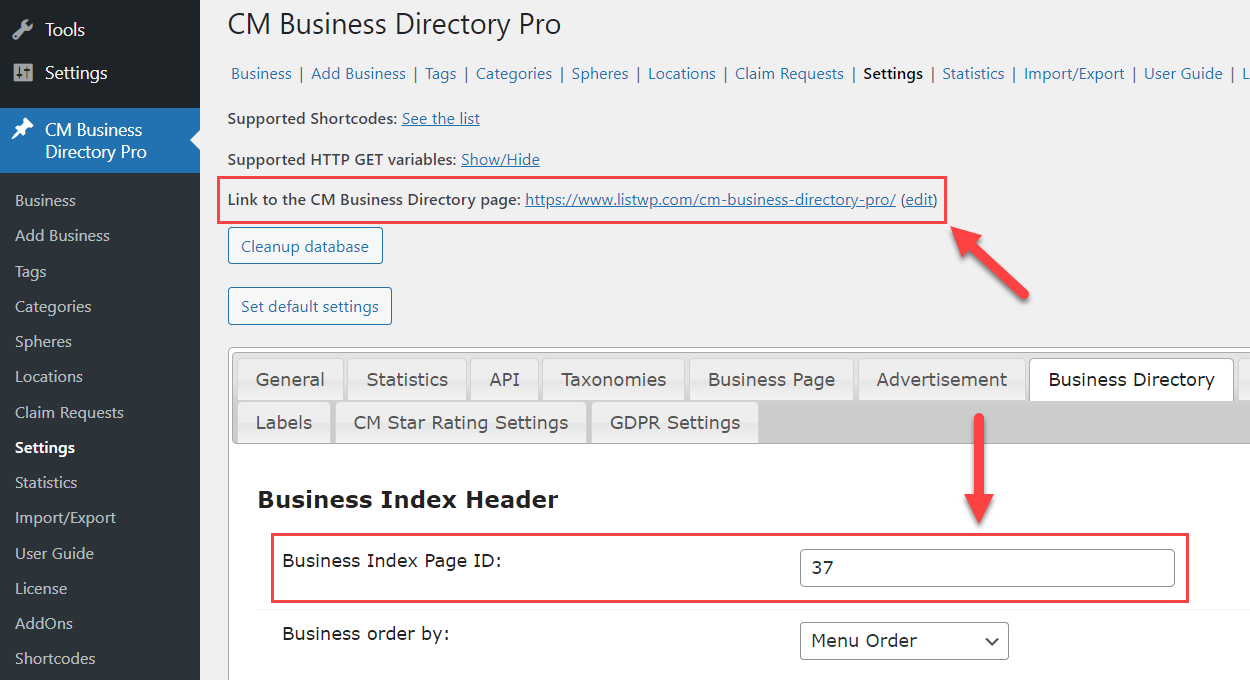
In the plugin settings, you can configure what should be displayed on the business directory page - how many businesses per page, search/sort/filter bars, pagination, etc.
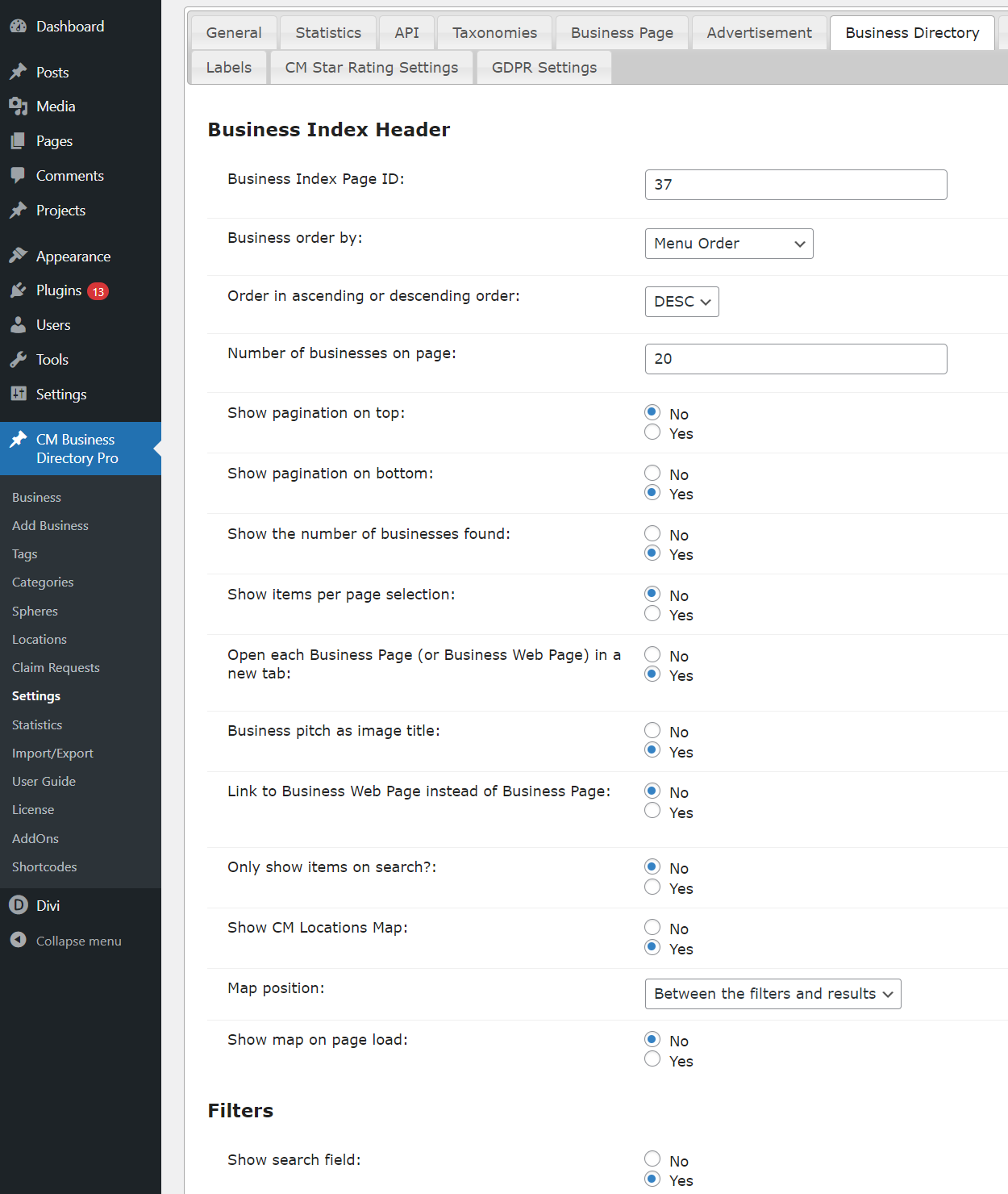
And there are also settings for the business directory appearance configuration - choosing the view style and options for each view style.
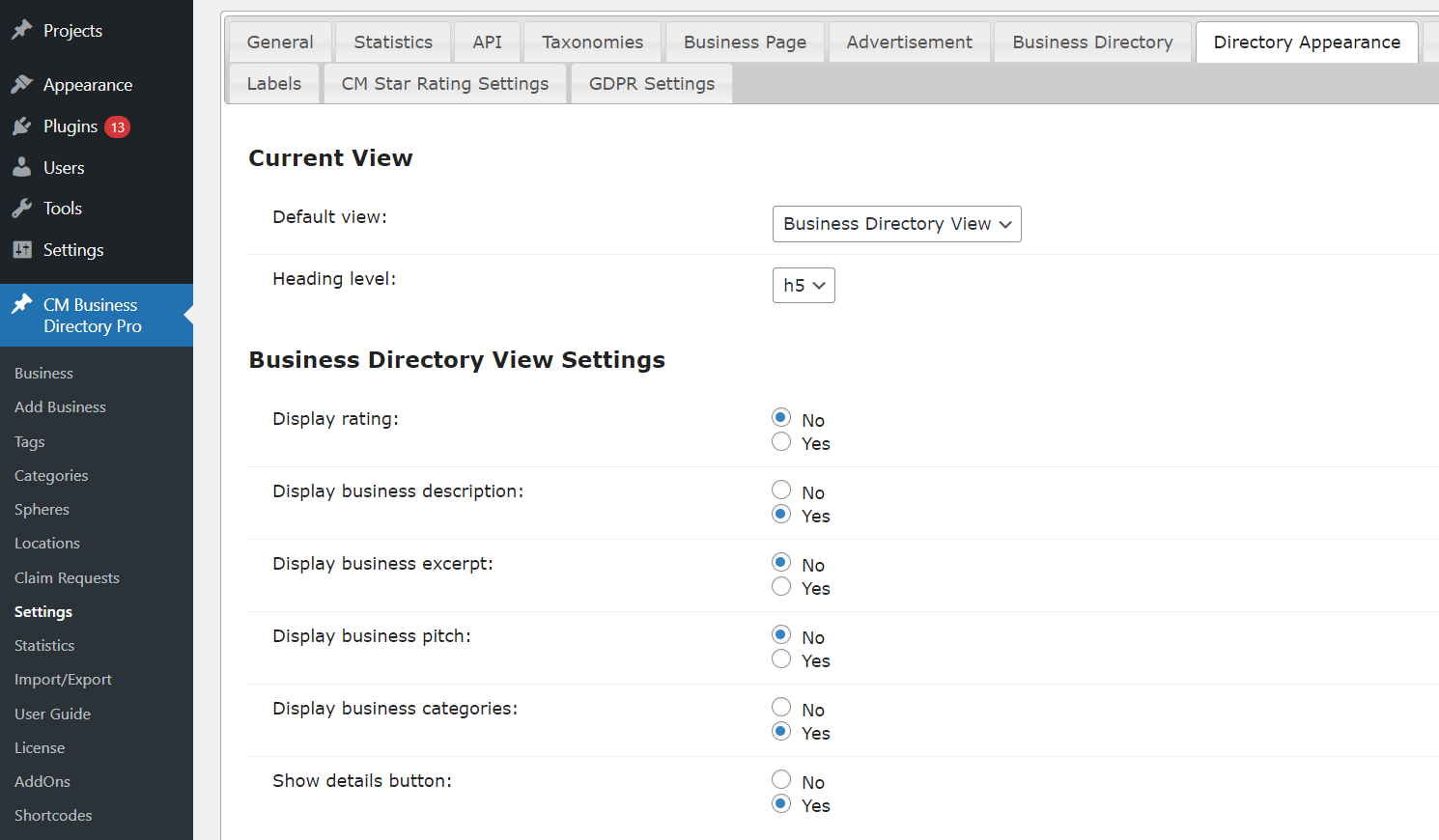
Manually Created Directory Page
The business directory can be placed on any other post/page, and some global plugin parameters can be overridden with the help of the shortcode.
To display business directory on the current page, we used the shortcode with the following parameters:
[сmbd_business view="directory" page_business="5"]
For displaying, we used Business Directory View and defined to display maximum 5 businesses per page.
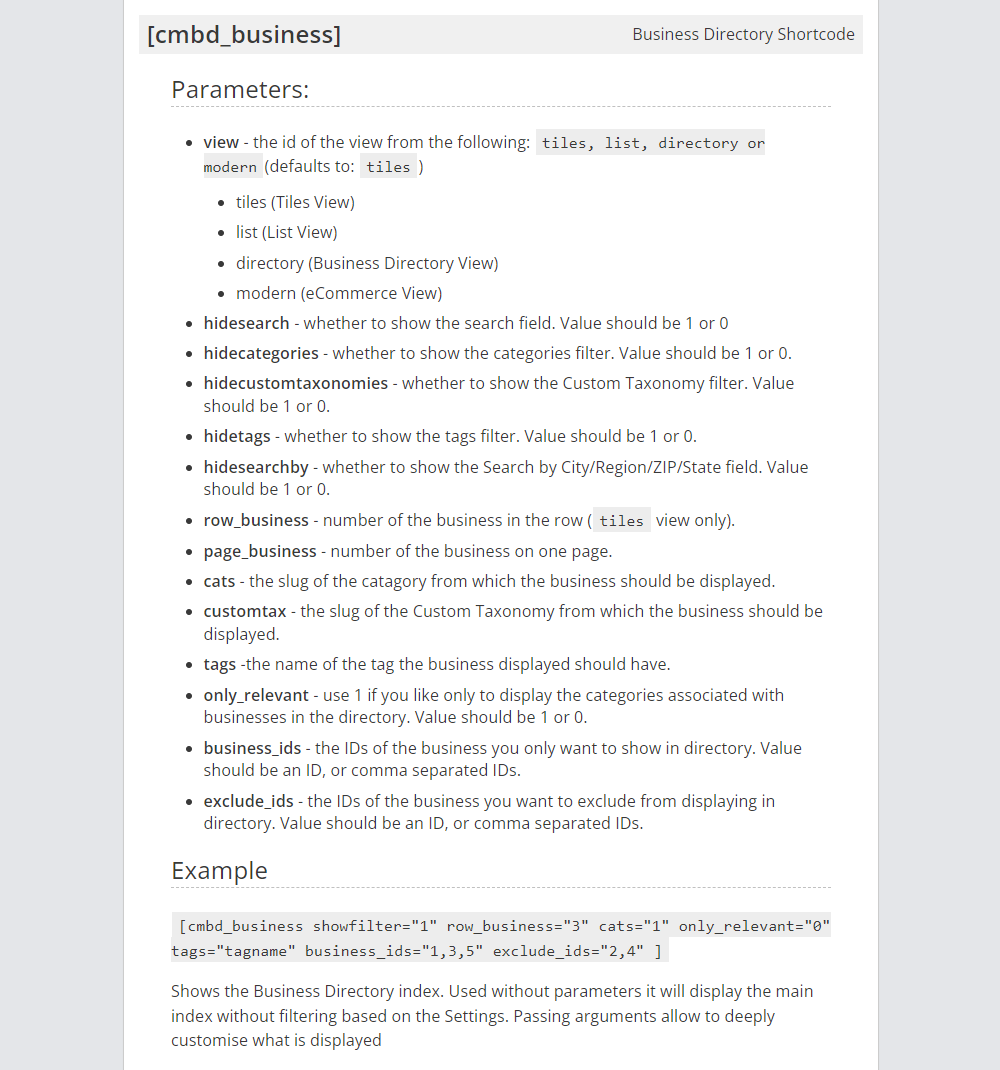
You can see the full list of the shortcode parameters on the screenshot below:
CreativeMinds Business Directory Plugin for WordPress allows to build a local online directory of business listings similar to Yelp, Yahoo, or Yellow Pages on your WordPress site. Easily list cafes, restaurants, IT companies, music venues or any kind of business. Add images and video to individual pages and boost SEO. Supports payments and Google Maps via add-ons.
For more information go to the plugin product page
Try Other Business Directory Demos
Available Business Directory Community Demos