
Directory Page - Directory View Demo
Business DirectoryBusiness Directory View
This demo page shows the appearance of the business directory with the Business Directory View.
Below the directory, you can find the guide about how it was done.
Businesses Found: 375


Envato Market
Envato is an ecosystem of sites to help you get creative. It includes Envato Market, the leading marketplace for images, themes, project files and creative assets. Envato Studio connects clients with hand-picked freelance talent, and Tuts+ is home to thousands of tutorials and video courses. Our sites and services help millions of people around the world.

Codeable
It all started back in 2012 when Per and Tomaž agreed on contributing a little extra to the WordPress community. Their aim was to build an outsourcing company, in which quality and customer service come first. They started by hiring exceptional WordPress developers and connecting them with people in need of on-demand website support. Two years later, we are the #1 online outsourcing service for WordPress.

MojoThemes
We strive to create an open marketplace for top rated designers and developers to shine in a world where design is becoming more competitive. We also wanted to build a go-to marketplace where anyone can find, rate and buy quality themes & templates all in one trusted place. Looking at both sides of the spectrum, we’re on a mission to hit the interwebs full steam to get your MOJO back.

WPML.org
WPML is a plugin for WordPress. Simply put, plugins extend the functionality of the basic WordPress CMS. In our case, WPML makes WordPress run multilingual.
WPML lets authors write content in different languages and translate content. It also includes advanced features for translation management and an interface for professional content translation.
Using WPML requires no technical or programming skills. Site admins can install it and turn their site multilingual, without any coding. WPML includes a complete API, for integrating with other plugins and translation systems. This way, developers can easily use WPML and turn their products into multilingual.
How to Create and Configure the Directory Page?
Automatically Created Directory Page
First of all, the plugin automatically creates the index page. This is a simple page which contains the shortcode [сmbd_business]
The link to this page can be found on above the plugin settings. The page is defined as the index page by specifying it in the option "Business Index Page ID".
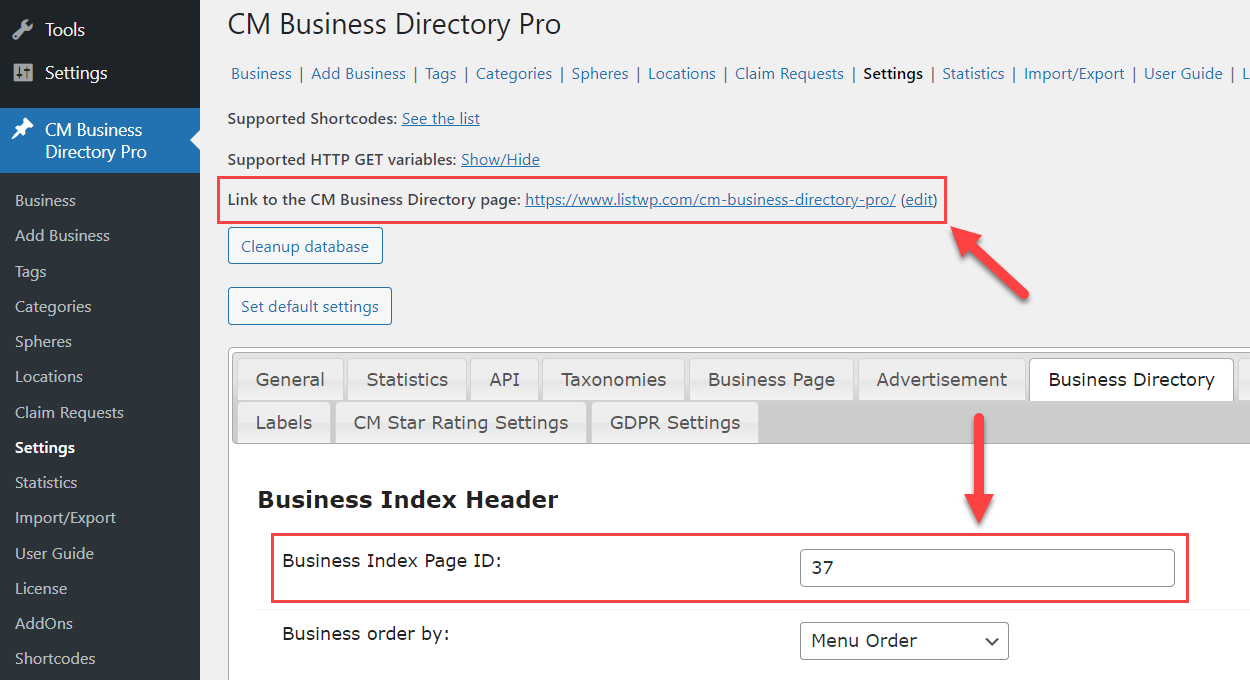
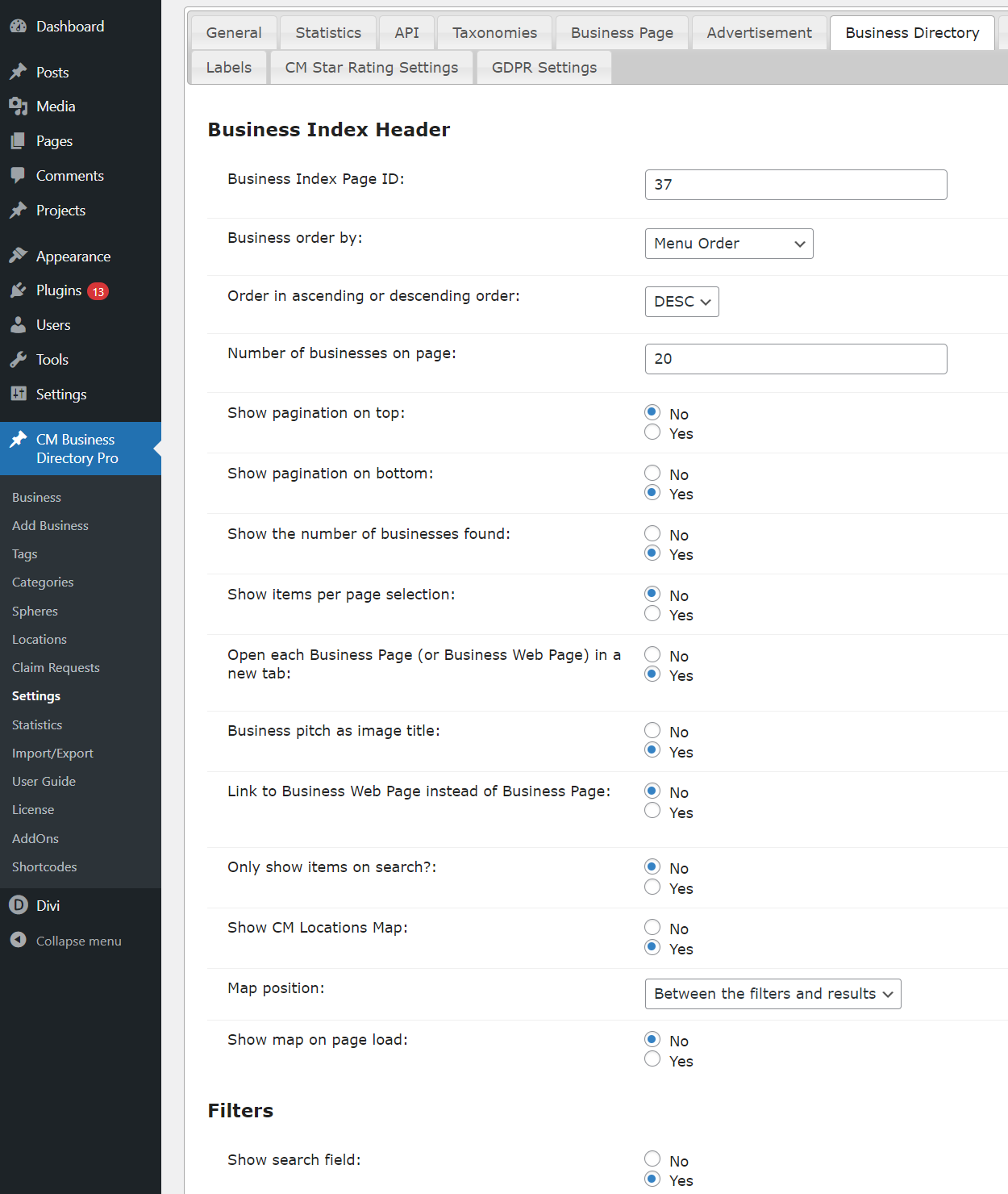
In the plugin settings, you can configure what should be displayed on the business directory page - how many businesses per page, search/sort/filter bars, pagination, etc.
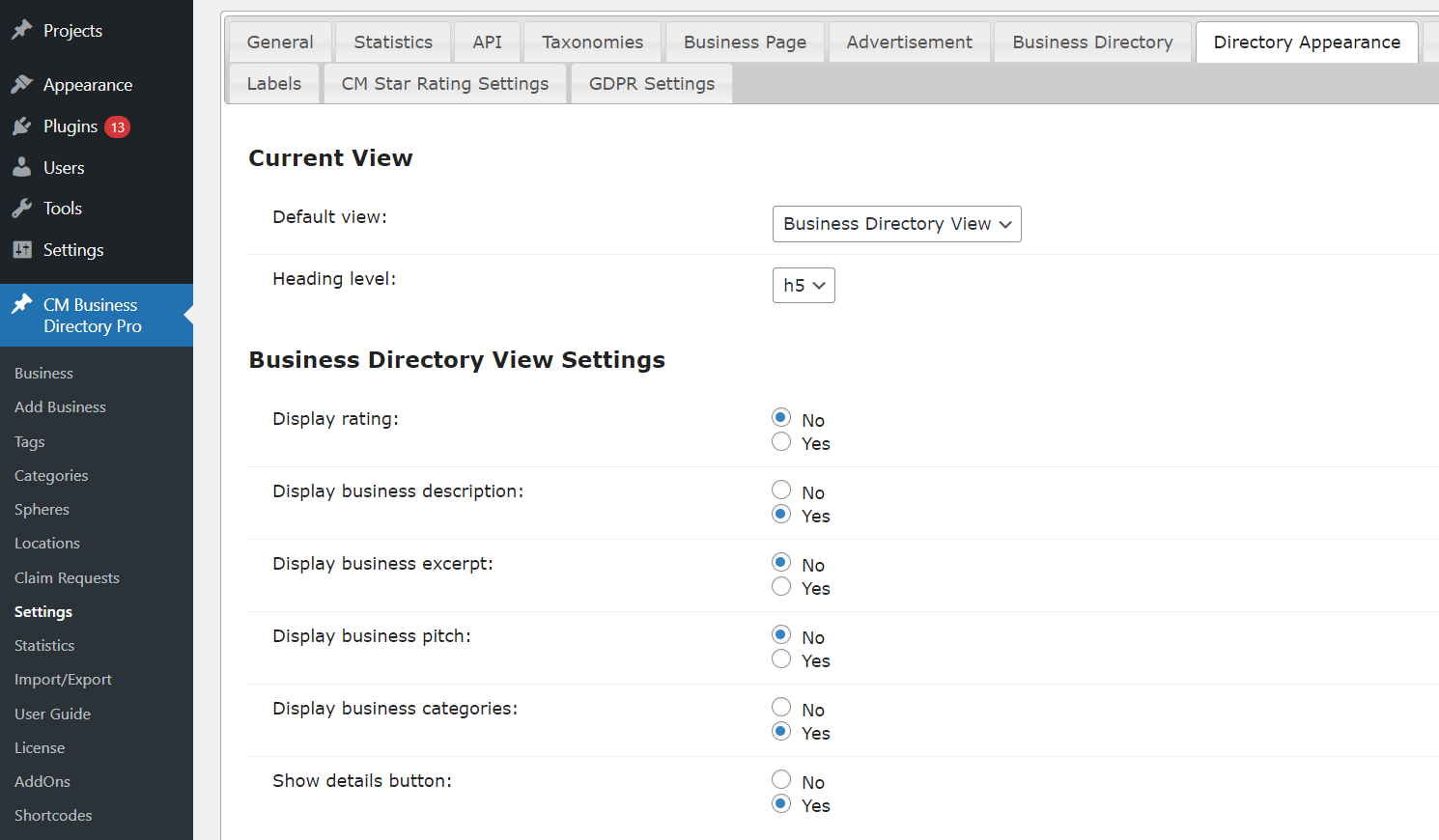
And there are also settings for the business directory appearance configuration - choosing the view style and options for each view style.
Manually Created Directory Page
The business directory can be placed on any other post/page, and some global plugin parameters can be overridden with the help of the shortcode.
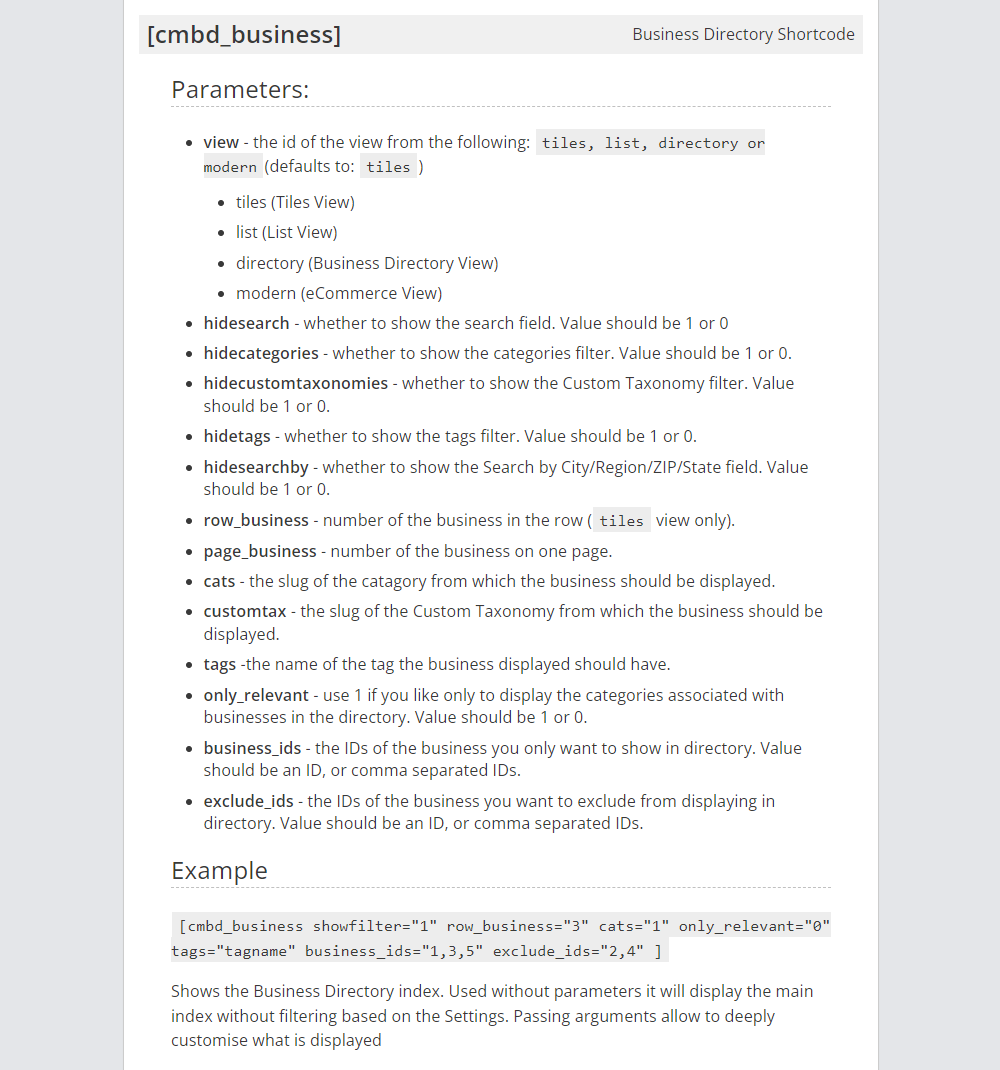
To display business directory on the current page, we used the shortcode with the following parameters:
[сmbd_business view="directory" page_business="5"]
For displaying, we used Business Directory View and defined to display maximum 5 businesses per page.
You can see the full list of the shortcode parameters on the screenshot below:
CreativeMinds Business Directory Plugin for WordPress allows to build a local online directory of business listings similar to Yelp, Yahoo, or Yellow Pages on your WordPress site. Easily list cafes, restaurants, IT companies, music venues or any kind of business. Add images and video to individual pages and boost SEO. Supports payments and Google Maps via add-ons.
For more information go to the plugin product page
Try Other Business Directory Demos
Available Business Directory Community Demos