
Directory Page - Directory View Demo
Business DirectoryBusiness Directory View
This demo page shows the appearance of the business directory with the Business Directory View.
Below the directory, you can find the guide about how it was done.
Businesses Found: 375

Soliloquy
Soliloquy is a responsive WordPress slider plugin that makes building sliders in WordPress a task that you will want to experience over and over again.

Envira Gallery
Envira Gallery is a responsive WordPress plugin that creates incredibly simple and easy workflows around building and managing galleries in WordPress.

Thirsty Affiliates
ThirstyAffiliates affiliate marketing suite will help you get organised,
cloak affiliate links and level up your affiliate marketing income.

Stitt Creative
At Stitt Creative, we are passionate about what we do. We always deliver on time and on budget. We believe that our job is to help you increase sales and visibility, and look good doing it. To get this done, our experienced team will guide you from the strategic planning to the final launch of your project.

Fruitful Code
A web development agency with the goal of producing WordPress fresh looking, functional sites, designs and WordPress plugins.
How to Create and Configure the Directory Page?
Automatically Created Directory Page
First of all, the plugin automatically creates the index page. This is a simple page which contains the shortcode [сmbd_business]
The link to this page can be found on above the plugin settings. The page is defined as the index page by specifying it in the option "Business Index Page ID".
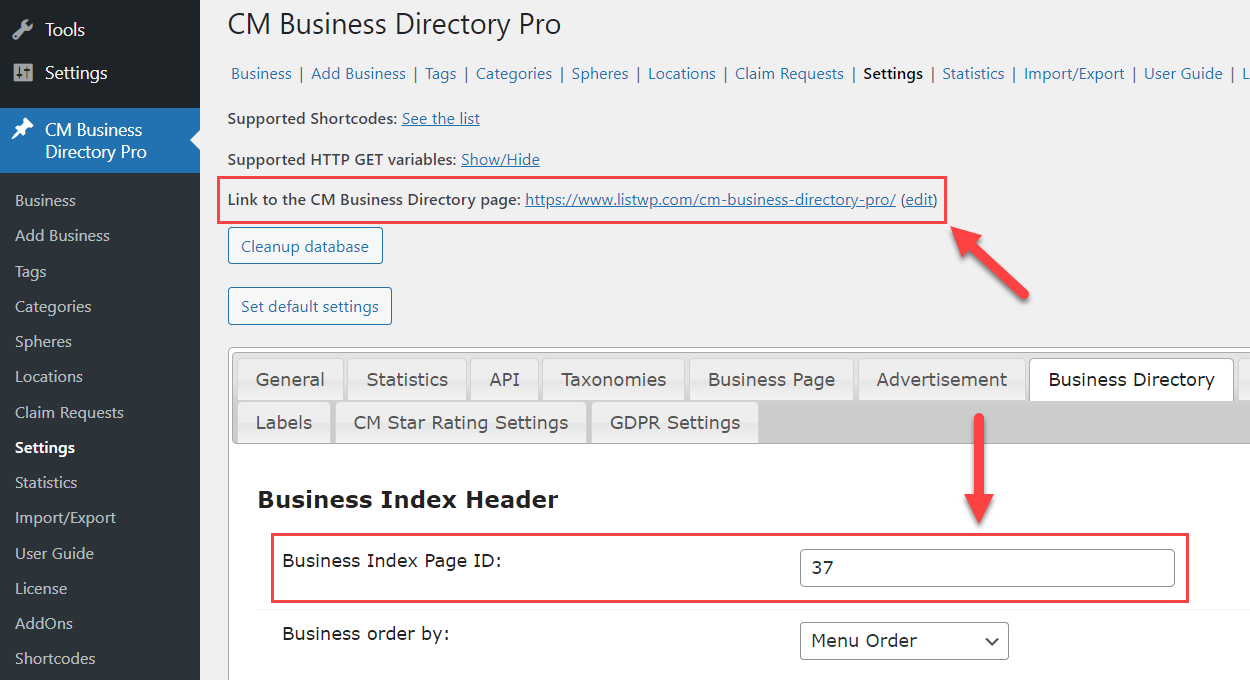
In the plugin settings, you can configure what should be displayed on the business directory page - how many businesses per page, search/sort/filter bars, pagination, etc.
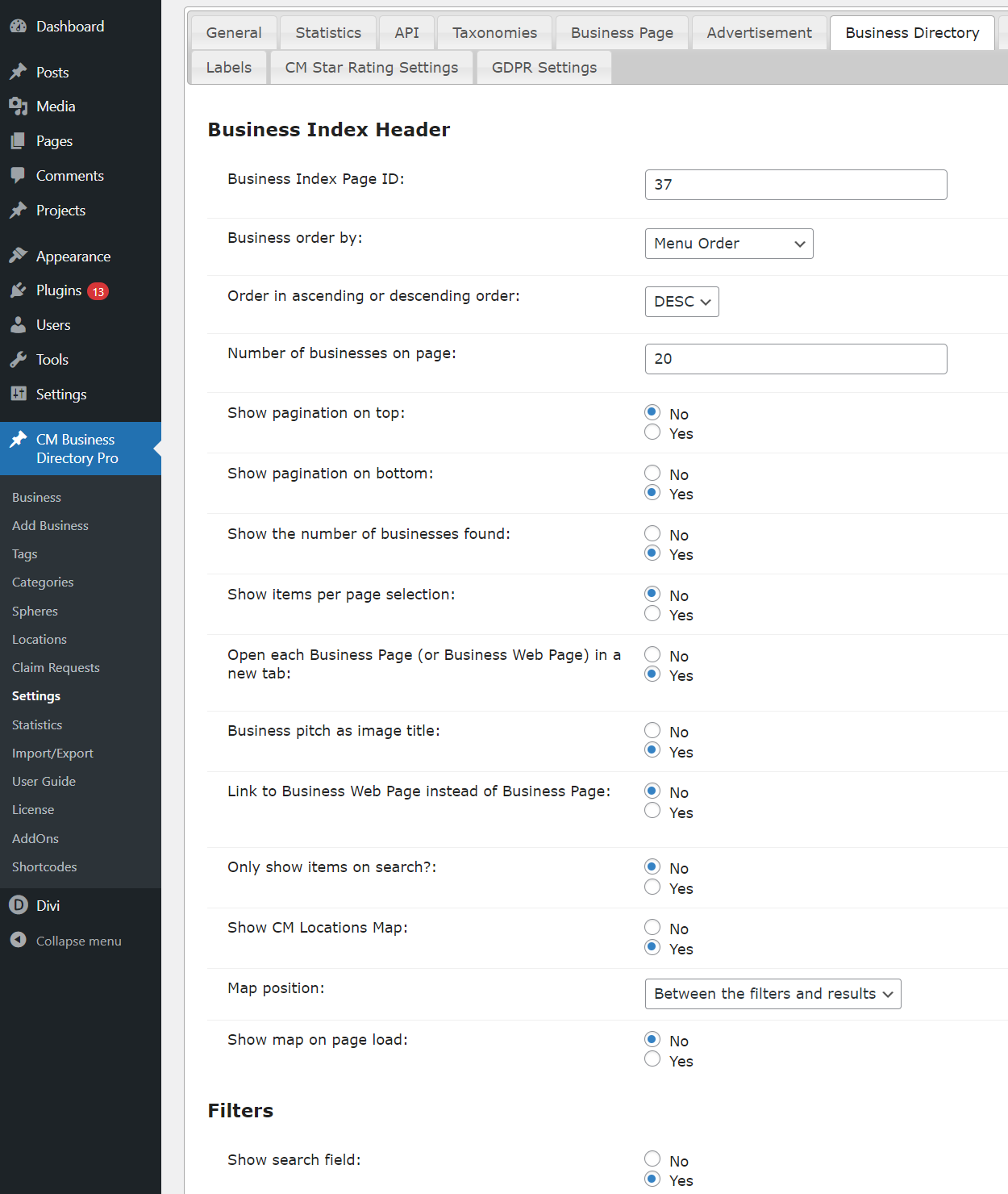
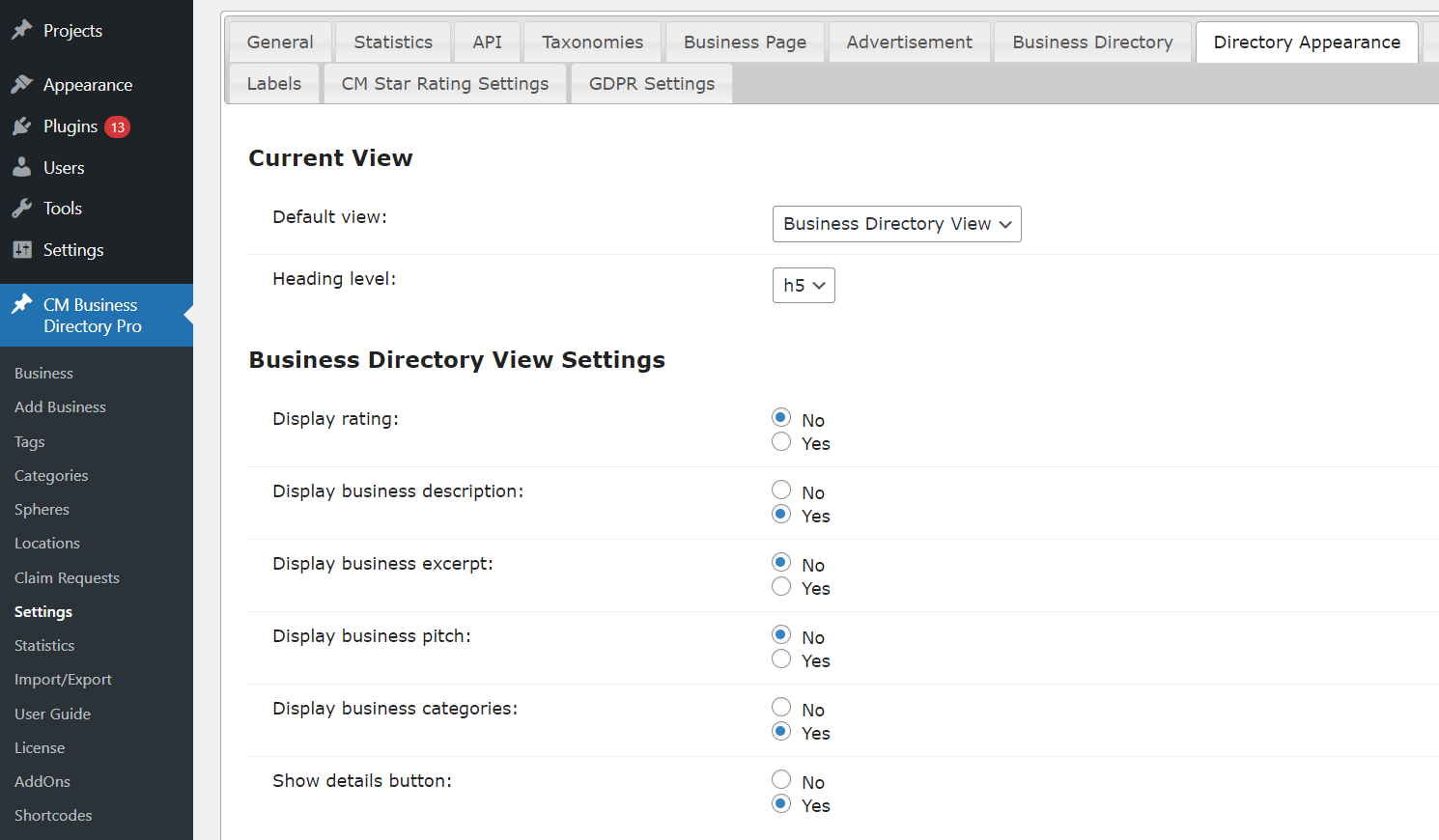
And there are also settings for the business directory appearance configuration - choosing the view style and options for each view style.
Manually Created Directory Page
The business directory can be placed on any other post/page, and some global plugin parameters can be overridden with the help of the shortcode.
To display business directory on the current page, we used the shortcode with the following parameters:
[сmbd_business view="directory" page_business="5"]
For displaying, we used Business Directory View and defined to display maximum 5 businesses per page.
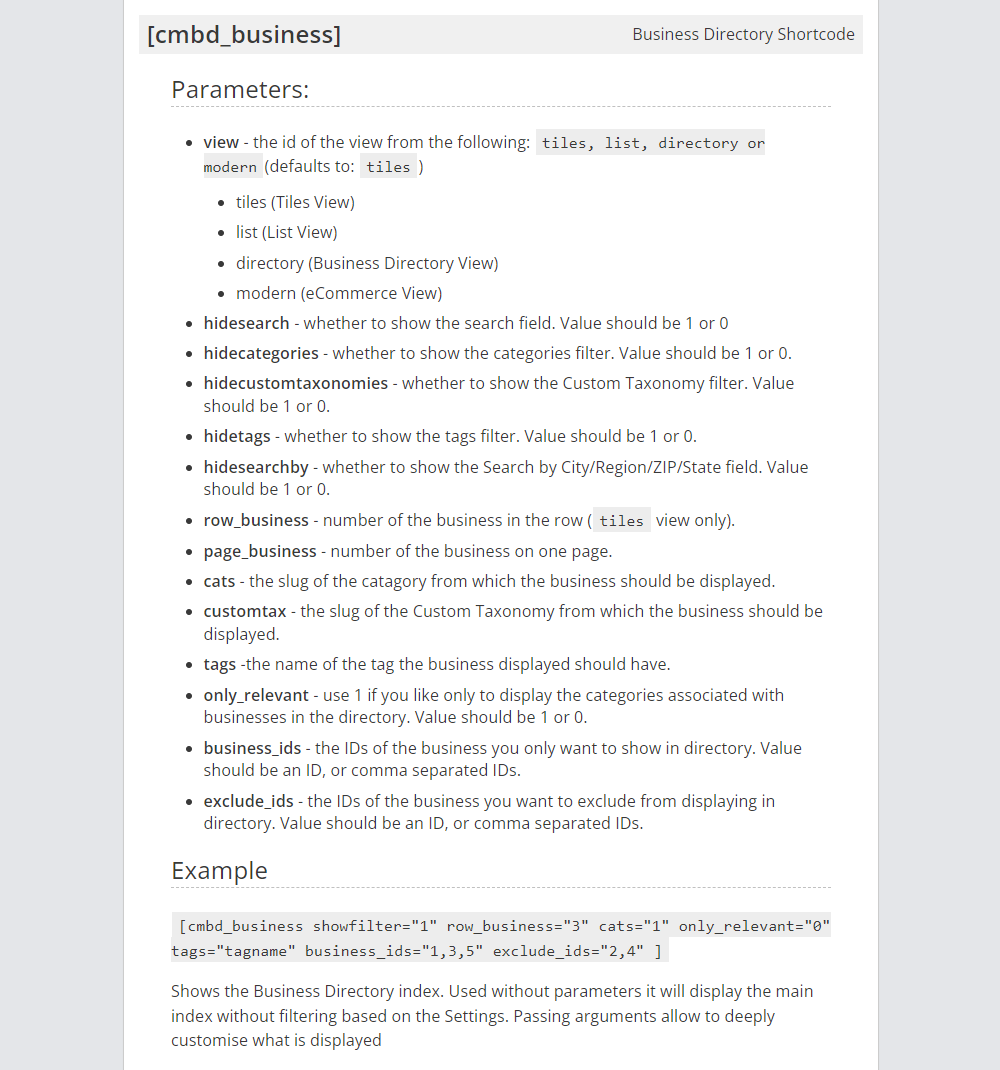
You can see the full list of the shortcode parameters on the screenshot below:
CreativeMinds Business Directory Plugin for WordPress allows to build a local online directory of business listings similar to Yelp, Yahoo, or Yellow Pages on your WordPress site. Easily list cafes, restaurants, IT companies, music venues or any kind of business. Add images and video to individual pages and boost SEO. Supports payments and Google Maps via add-ons.
For more information go to the plugin product page
Try Other Business Directory Demos
Available Business Directory Community Demos